
Filova
FTP, FTPS and SFTP client for Android
Your NAS, web server or Raspberry Pi in your pocket. Browse your files, transfer in the background, back up your photos automatically. Free, no ads, no account.
Screenshots
Features
File browser
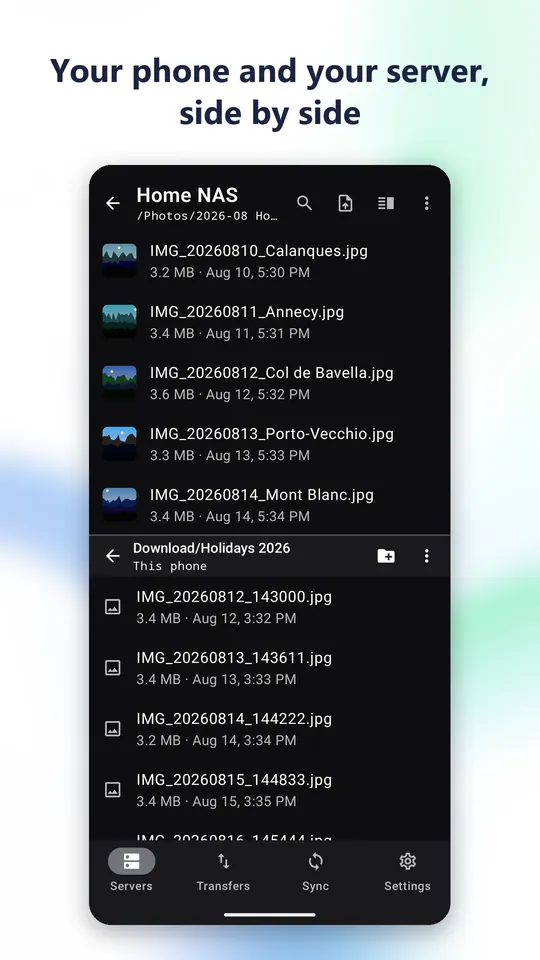
- Dual pane: phone folders next to the server, side by side in landscape
- Search, sort, multiple selection, photo thumbnails
- Create, rename, move, copy and delete, including whole folders
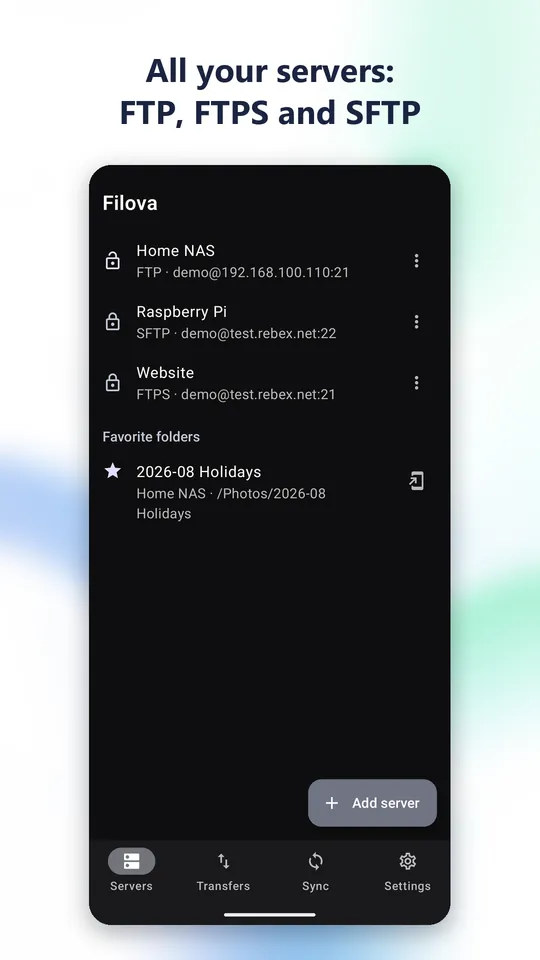
- Favorite folders and home screen shortcuts to a server
Transfers
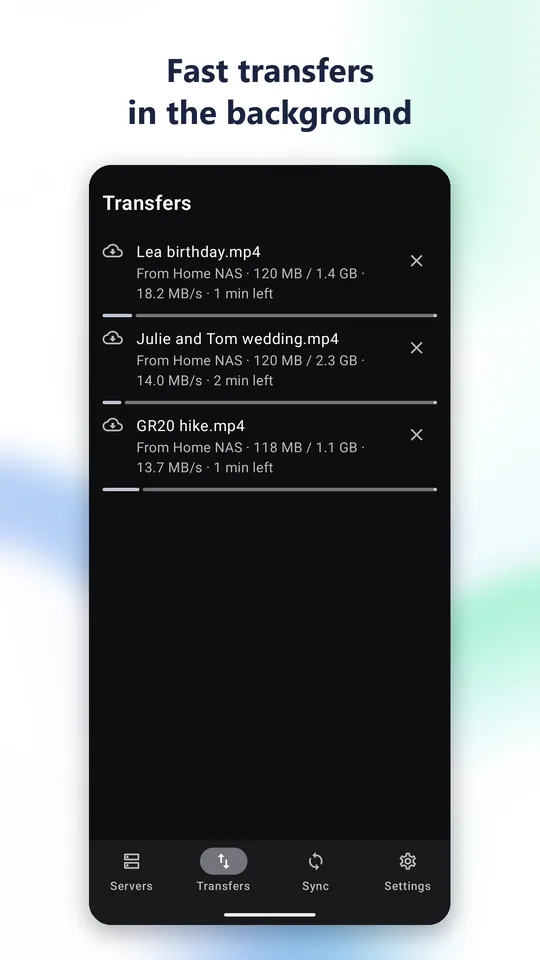
- Queue that keeps running in the background, progress in the notification
- Automatic resume after a network drop, right where the transfer stopped
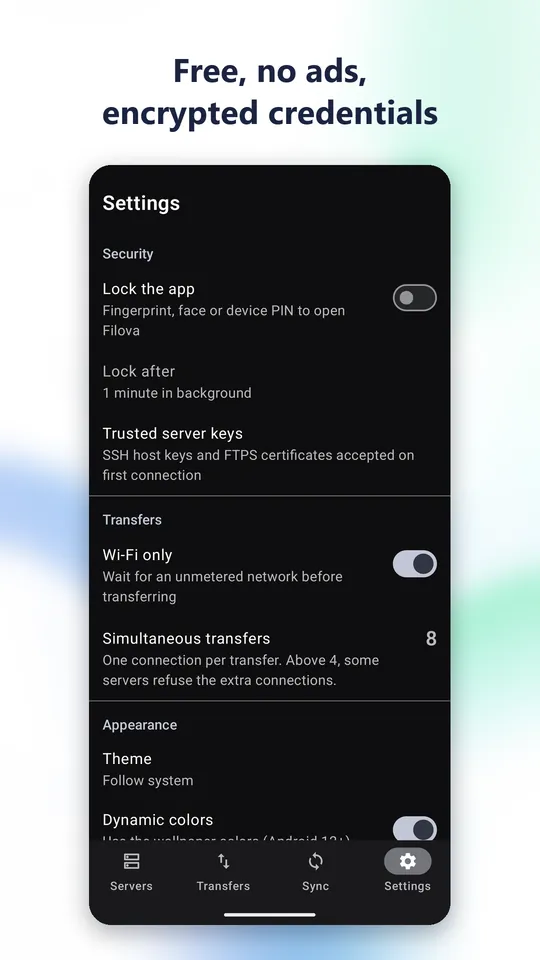
- Wi-Fi only option
- Original file dates kept on upload
Sync
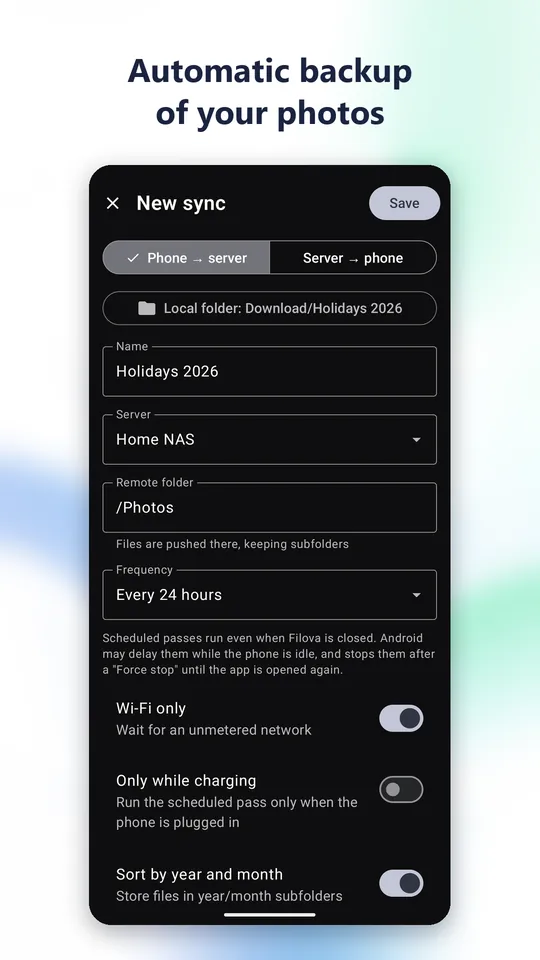
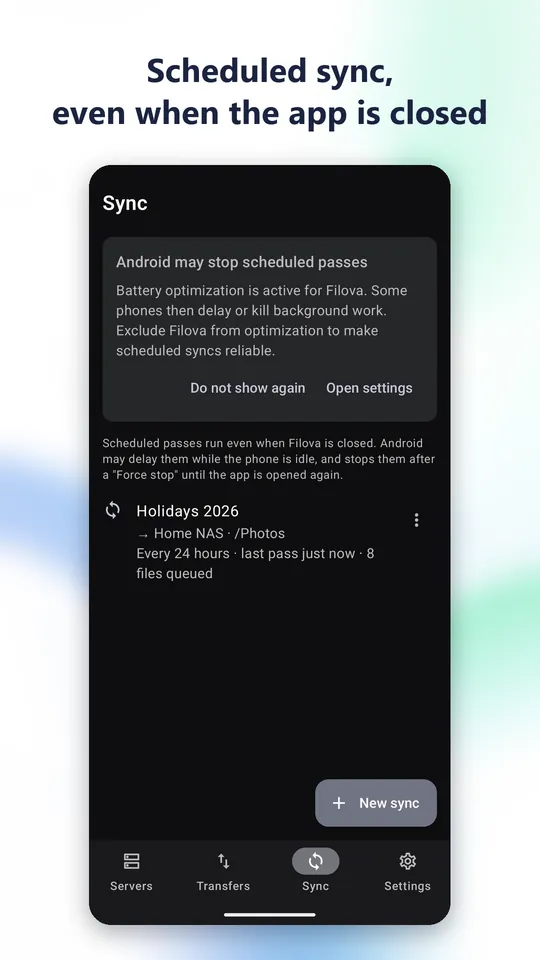
- Phone photos to your NAS, or a server folder to your phone
- Only new or changed files are transferred
- Year and month folders, Wi-Fi only, charging only
- Frees up space on the source after the transfer, if you ask it to
Android integration
- Your servers show up in the Files app
- Open or save a server file from any app
- App lock with fingerprint, face or PIN
- Light or dark theme, Material You dynamic colors
Technical details
- Protocols
- SFTP (SSH, port 22) · FTP (port 21) · explicit FTPS, TLS 1.2 (port 21)
- SFTP authentication
- password or OpenSSH, PEM, PuTTY private key, with or without passphrase
- Compatible servers
- OpenSSH, vsftpd, ProFTPD, FileZilla Server, common NAS devices
- Server identity
- SSH fingerprint or TLS certificate approved on first connection, warning if it changes
- Simultaneous transfers
- 1 to 20
- Passwords and keys
- AES-GCM encrypted, key held by the Android Keystore
- Profile export
- AES-256-GCM file, PBKDF2-HMAC-SHA256 key, 200,000 iterations
- File access
- only the folders you pick
- Android
- 8.0 or later
- Version
- 0.2.4
- Languages
- English, French
- Price
- free, no ads, no in-app purchase
Privacy
Data sent to WaTiFy 0 bytes
Your credentials stay encrypted on the phone, your files go straight from the phone to your server. No usage statistics, no crash reports, no ads.